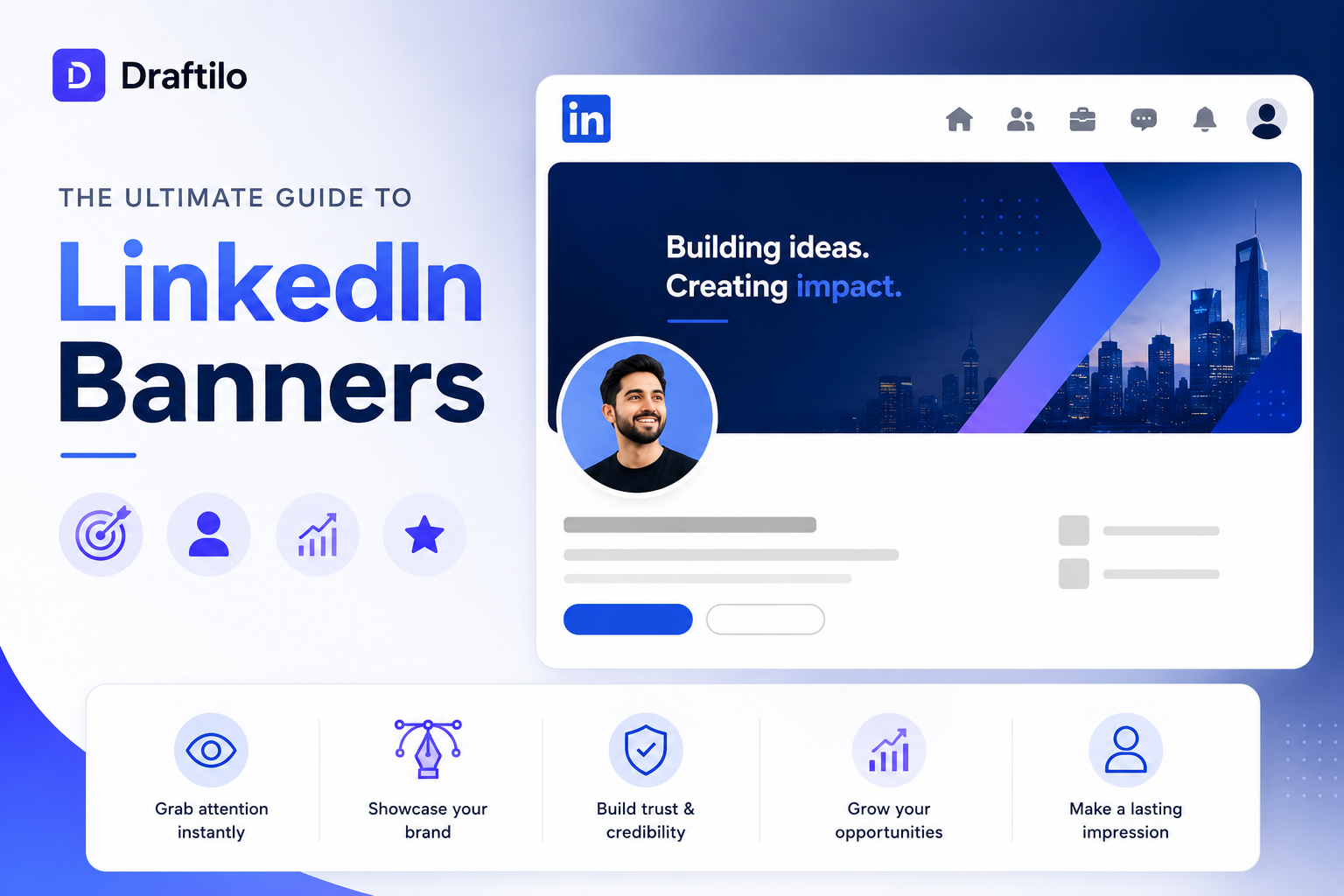
The Ultimate Guide to LinkedIn Banners That Get You Noticed

Why Banners Matter More Than You Think
Most LinkedIn profiles look exactly the same: the default blue background, a random cropped group image, or worse—no banner at all.
The funny part? Your LinkedIn banner is one of the first things people notice when they visit your profile. Before they read your headline. Before they check your experience. Before they decide whether to follow you, connect with you, or trust you. And yet most people completely ignore it.
The Blank Canvas Gap
Leaves the generic LinkedIn background. Tells the visitor nothing, feels incomplete, and signals that you aren't active or serious about your professional brand.
The Digital Billboard
Immediately claims visual real-estate. Displays your tagline, provides context within 2 seconds, builds expertise, and drives clicks to your feature section.
A good LinkedIn banner quietly tells people: who you are, what you do, what you care about, and why they should remember you—without you having to write a novel. It serves as your primary visual identity.
Most LinkedIn Banners Fail for One Simple Reason
They try too hard. In an attempt to look "expert" or "professional," creators overload their designs, resulting in visual clutter.
cancel The Fatal Clutter Pitfall
Too much text, too many colorful icons, chaotic stock backgrounds, unreadable cursive fonts, and crammed layouts make your banner impossible to scan. If visitors can't read it in 2 seconds, they won't try.
Good LinkedIn banners are usually simple. Very simple. They focus on a clean backdrop, crisp positioning, and excellent typography. That's it.
The 3 Pillars of a Great LinkedIn Banner
To design a high-converting billboard, you only need three core structural elements:
1. Visual Harmony
A calm background with 2-3 matching brand colors. Creates visual consistency that feels clean and high-end.
2. Core Tagline
A short, highly readable positioning statement explaining your core offer or value proposition.
3. Subtle Call-To-Action
A small handle, logo, website URL, or email that invites users to interact or visit your website.
Before Designing Anything, Fix Your Positioning
This is the step most people completely skip. Before opening Figma, Canva, or Photoshop, ask yourself one question: "What do I want people to remember about me when they visit my profile?"
Not your entire resume or CV—just **one clear thing**. If your banner tries to claim you build AI products, do freelance consulting, speak at events, and also write cooking recipes, it confuses visitors. Disconnected branding kills conversion.
Examples of High-Converting Positioning Statements
- check_circle For Founders: "Building the future of B2B content at Draftilo."
- check_circle For Creators: "Helping professionals write clean LinkedIn hook structures."
- check_circle For Marketers: "Scaling SaaS startups from $0 to $1M in organic ARR."
5 Proven LinkedIn Banner Styles That Convert
Depending on your role and industry, choose a banner archetype that fits your personal brand:
Minimal Brand Banner
The safest and cleanest option. A high-contrast brand background with your primary tagline and brand colors. Focuses 100% on clear positioning and readability.
Founder / Startup Builder Banner
Showcases product dashboards, modern UI mockups, or your tool's signature interface on the right side, paired with your startup's core mission statement. Great for building in public.
Creator-Style Niche Banner
Human-centric. Highly descriptive fonts detailing your niche, personal values, or content pillars. Feels friendly, readable, and highly conversational.
Social Proof Banner
Builds instant credibility. Features logo badges of clients, metrics like "Helped 15K+ marketers grow," or press quotes ("Featured in Forbes"). Use carefully to avoid sounding boastful.
Industry Visual Banner
Best for designers, architects, photographers, or video editors. Displays your high-fidelity portfolio directly on the banner. Make sure it stays organized and doesn't look like generic stock wallpaper.
LinkedIn Banner Dimensions & Device Safe Zones
One of the biggest mistakes creators make is designing a banner, uploading it, and realizing that **important text is blocked** by their profile photo or cropped out on mobile.
Live Device Safe-Zone Preview Map
Dimensions: 1584 x 396 pxcheck_circle Recommended Content Safe Zone
Position your tagline, brand colors, name, handles, and graphics here. This section remains 100% visible on both Mobile and Desktop viewports.
⚠️ Crucial UX Tip: Your profile photo covers the bottom-left section of the banner. Keep all important text toward the **center and right** to avoid broken layouts.
| Profile Type | Recommended Dimensions | Layout Tips |
|---|---|---|
| Personal Profile | 1584 × 396 px | Aspect ratio 4:1. Profile photo covers bottom-left. |
| Company Page | 1128 × 191 px | Aspect ratio 5.9:1. Logo overlaps bottom-left. Keep center clear. |
CTAs & Colors: Keep It Balanced
A banner shouldn't just look pretty—it should prompt action. But you must execute this with professional subtlety.
Effective Call-To-Action Mappings
- check Add a small handle for your brand or newsletter.
- check Mention a short website URL in a small, clean font.
- check Avoid aggressive sales text like "BUY MY COURSE NOW!"
Brand Color Consistency Rules
- check Limit design palette to 2 or 3 colors maximum.
- check Ensure high readability contrast (e.g. white text on deep blue background).
- check Avoid highly saturated neons that cause screen glare or look untrustworthy.
The Best Tools to Design Your Banner
You do not need an expensive design agency or complex graphic software. Most modern creators build gorgeous headers using simple visual tools:
Canva
Excellent templates, perfect for quick positioning designs.
Figma
Ideal for indie hackers, UI designers, and precise pixel rules.
Photopea
Free browser-based Photoshop alternative for advanced layers.
Adobe Express
Quick branding tool with robust library structures.
Final Thoughts: Don't Overthink It Forever
Many professionals delay uploading a LinkedIn banner because they want the "perfect" custom graphic artwork. But honestly? A simple, clean colored banner with a readable tagline is already 10x better than the default blue background.
Start simple. Refine your tagline as your content niche evolves. Your positioning matters more than complex design perfection. Take 15 minutes today, fix your dimensions, align your safe zones, and build a digital billboard that actually gets you connect requests!
Level up your LinkedIn game
Join 15,000+ professionals receiving weekly LinkedIn algorithm deep-dives.
Explore Core Workspaces
Level up your personal brand with specialized growth tools.
AI Hook Generator
Stop letting users scroll past your ideas. Generate high-converting hooks that trigger immediate curiosity and drive profile visits.
Visual Calendar Queue
Schedule weeks of LinkedIn updates in under an hour. Plan, sequence, and automatically queue drafts in one visual drag-and-drop board.
Video Downloader
Save, study, and remix high-performing professional video content. Save high-resolution MP4 clips to your creator assets folder instantly.