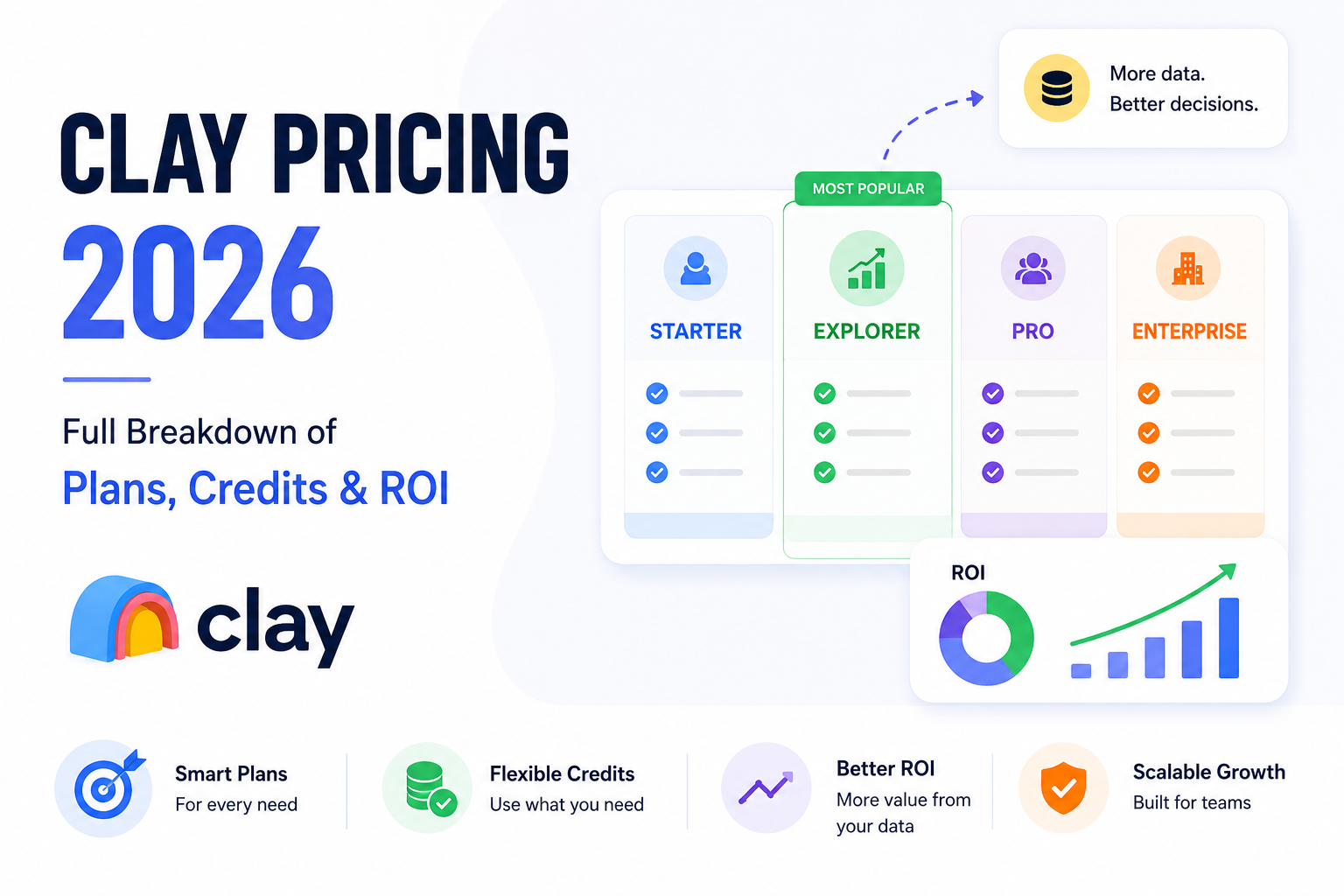
Clay Pricing 2026: An In-Depth Analysis of Plans, Credits & Hidden Costs

Navigating the financial landscape of modern sales tools can feel overwhelming. As I look toward 2026, I know that sales leaders and GTM teams need total clarity before committing their budgets. Understanding Clay pricing is the first step toward building a high-performing outbound engine that actually scales.
I designed this guide to help you cut through the noise. We will explore how credit consumption works and which plan tiers best fit your specific growth stage. Making the right choice is about more than just the monthly cost.
Ultimately, you must justify every dollar spent to your stakeholders. By mastering the metrics behind your Clay ROI, you can prove that your investment is a strategic asset rather than just another line item. Let’s dive into the details to ensure your team stays ahead of the curve.
Understanding the Clay Value Proposition
Modern sales success relies on more than just a list of emails; it requires a sophisticated approach to data. In today's competitive environment, your GTM stack acts as the engine that drives your revenue growth. Clay has emerged as a central component of this infrastructure, moving far beyond simple list building into the realm of complex data orchestration.
What is Clay in the Modern GTM Stack
I view Clay as the connective tissue between raw data and actionable sales intelligence. It allows you to pull information from dozens of sources simultaneously, creating a unified view of your target accounts. By integrating this platform, you transform fragmented contact details into highly personalized insights that actually resonate with prospects.
The true power of this tool lies in its ability to handle lead enrichment at scale. Instead of relying on static databases that quickly become outdated, you can trigger real-time updates based on specific company events or hiring signals. This ensures that your sales team always reaches out with the most relevant context possible.
The Shift from Manual Prospecting to Automated Enrichment
Many organizations still lose hundreds of hours every month to manual research tasks. Sales representatives often spend their mornings scouring LinkedIn or company websites just to find a single verified phone number. This outdated approach is not only slow but also prone to human error and inconsistency.
By moving toward automated prospecting, you reclaim that lost time and redirect it toward high-value conversations. Clay automates the heavy lifting, allowing your team to focus on building relationships rather than data entry. Efficiency is the ultimate competitive advantage in a market that never stops moving.
When you automate these workflows, you gain the ability to test new outreach strategies in minutes rather than days. You can quickly identify which data points lead to higher conversion rates and adjust your campaigns accordingly. This shift represents a fundamental change in how high-performing sales organizations operate today.
Clay Pricing Overview and Plan Tiers
Understanding how Clay pricing structures its costs is essential for maximizing your return on investment. I have found that selecting the right tier early on prevents unnecessary overages while ensuring your team has the capacity for growth. By aligning your specific needs with the correct plan, you can avoid paying for features you do not use.
Starter Plan Features and Limitations
The Starter plan serves as an excellent entry point for individuals or small teams just beginning their automation journey. It provides access to core enrichment tools, but it does come with strict limits on monthly credits and concurrent workflows. I recommend this tier if you are testing the waters and do not yet require high-volume data processing.
Explorer Plan for Scaling Teams
As your outreach efforts grow, the Explorer plan offers the necessary headroom to scale your operations effectively. This tier typically includes higher credit limits and access to more advanced waterfall enrichment strategies. It is designed for teams that need to maintain a consistent flow of high-quality leads without hitting frequent usage caps.
Pro and Enterprise Customization
For organizations with complex requirements, Clay enterprise plans provide the ultimate level of flexibility and support. These custom tiers allow for tailored credit allocations, dedicated account management, and advanced security features. If your business relies on heavy data enrichment and deep CRM integrations, these plans offer the most reliable path forward.
Plan Name | Monthly Cost | Annual Cost | Best For |
|---|---|---|---|
Starter | $149 | $1,428 | Solo users & small tests |
Explorer | $349 | $3,348 | Growing sales teams |
Pro/Enterprise | Custom | Custom | Large-scale operations |
Choosing between these options requires a clear look at your current lead volume and technical goals. By evaluating your needs against these Clay enterprise plans, you ensure that your budget remains optimized as you scale. Always remember that flexibility is key when building a modern go-to-market stack.
Deep Dive into the Clay Credit System
I want to help you demystify the way Clay handles your usage so you can scale your outreach with confidence. Understanding the Clay credit system is the most important step in ensuring your GTM strategy remains sustainable and effective over the long term.
How Credits are Consumed per Action
Every time you trigger a workflow, you are essentially spending a specific amount of credits. Think of these credits as the fuel for your prospecting engine. Simple actions, such as finding a LinkedIn profile URL or verifying an email address, typically consume a very small portion of your monthly allowance.
However, more complex tasks require more resources. When you chain multiple steps together, the total consumption adds up quickly. It is vital to monitor your dashboard to see exactly which workflows are the most resource-intensive for your specific goals.
Data Enrichment vs AI Generation Costs
There is a clear distinction between standard data enrichment and advanced AI-generated research. Standard enrichment involves pulling existing data points from third-party providers, which is generally predictable and cost-effective.
In contrast, using AI to analyze a company website or write personalized icebreakers involves LLM processing. This type of task carries a higher Clay credit system weight because it requires significant computational power. You should reserve these AI-heavy tasks for your highest-priority leads to maximize your return on investment.
Managing Credit Burn Rates
If you find yourself running low on credits before the month ends, you are likely over-enriching your entire lead list. I recommend filtering your data thoroughly before you trigger any automated enrichment steps. By only processing high-intent prospects, you can significantly lower your overall Clay cost.
Another effective strategy is to use a waterfall approach. This method attempts to find data from cheaper sources first, only moving to more expensive providers if the initial search fails. Managing your burn rate this way ensures that your Clay cost stays within your budget while still providing the high-quality data you need to close deals.
Hidden Costs and Overages to Anticipate
I have learned that managing your Clay subscription requires a keen eye for hidden expenses. While the platform offers incredible power for automation, the total Clay cost can fluctuate if you are not careful with your settings. It is essential to understand where these extra charges originate so you can keep your budget on track.
Third-Party Data Provider Fees
Clay integrates with many external data providers to enrich your lead lists. While these sources are invaluable, they often carry additional credit costs per request. You might find that pulling data from premium sources consumes your monthly allowance much faster than expected.
Always check the cost per action before you run a large workflow. If you do not monitor these specific integrations, you may face unexpected Clay overages at the end of your billing cycle. It is often better to test with a small batch first.
The Cost of High-Volume AI Processing
Using AI to personalize outreach is a game-changer, but it is not free. Every time you trigger an AI prompt to write a custom email or summarize a profile, you burn through your credits. High-volume processing can deplete your account balance in a matter of days if you are not careful.
I recommend setting up strict usage limits to prevent your account from running dry. By keeping a close watch on your AI consumption, you ensure that your Clay cost remains predictable. Efficiency is the key to maintaining a healthy return on investment.
Managing Team Seat Costs vs Usage
Adding team members to your account is a great way to scale, but it comes with a price. You should regularly audit your active seats to ensure you are not paying for users who are no longer active. It is common for teams to pay for extra seats that sit idle for weeks.
If you notice that your team is not hitting their usage targets, consider consolidating your workflows. Avoiding unexpected Clay overages starts with smart seat management. By aligning your team size with your actual output, you keep your operations lean and profitable.
Comparing Clay Pricing Against Competitors
When I evaluate sales tools, I often find that comparing Clay pricing to other market leaders is the best way to see where my budget goes. While many platforms offer similar outcomes, the underlying mechanics of how they charge can vary significantly. Understanding these differences helps me decide which tool fits my specific workflow requirements.
Clay vs Apollo.io Pricing Models
The primary difference in the Clay vs Apollo debate lies in the core philosophy of the platform. Apollo.io functions primarily as a massive, pre-built database with integrated outreach tools. You pay largely for access to their proprietary contact information and the ability to filter that data directly.
In contrast, Clay acts as an enrichment orchestrator. It does not rely on a single database but instead pulls from dozens of sources to find the most accurate information. This means you are paying for the flexibility to build custom, high-accuracy workflows rather than just buying a list of leads.
Clay vs PhantomBuster and Scraping Tools
If you are considering raw scraping tools like PhantomBuster, you are likely looking for low-cost automation. These tools are excellent for specific, repetitive tasks like extracting LinkedIn profiles or social media data. However, they often require significant technical maintenance and lack the advanced AI processing found in Clay.
Clay bridges the gap between simple scraping and complex data science. While a scraping tool might get you raw data, Clay cleans, verifies, and enriches that data using AI. This premium approach saves me hours of manual data cleaning that I would otherwise have to perform after using a basic scraper.
When the ROI Justifies the Premium Price
Deciding if the higher cost of Clay is worth it depends on your target audience and deal size. If you are running high-volume, low-touch campaigns, a cheaper database might suffice. However, for high-value account-based marketing, the precision of Clay often leads to significantly higher conversion rates.
The investment is justified when the time saved on manual research and the increase in meeting bookings outweigh the monthly subscription costs. I view the extra spend as an insurance policy against low-quality data and wasted outreach efforts.
Feature | Clay | Apollo.io | Scraping Tools |
|---|---|---|---|
Data Source | Multi-source Waterfall | Proprietary Database | Direct Web Extraction |
Primary Use | Custom Enrichment | Lead Discovery | Task Automation |
Technical Skill | Moderate | Low | High |
Pricing Model | Credit-based | Seat + Credit | Subscription/Task |
Calculating Your Expected ROI with Clay
Calculating your Clay ROI is more than just a math exercise; it is a strategic necessity for modern growth. When I look at my sales operations, I focus on how much time and money I can reclaim by replacing manual tasks with intelligent systems.
Time Saved on Manual Research
Manual research is often the biggest drain on a sales representative's day. By using automated prospecting, I can reduce the time spent hunting for contact details from hours to mere minutes. This shift allows my team to focus on high-value conversations rather than data entry.
When you multiply the hourly rate of your sales staff by the hours saved each week, the financial impact becomes clear. You are not just buying a tool; you are buying back your team's most valuable asset: their time.
Increased Conversion Rates from Personalized Outreach
Generic outreach rarely cuts through the noise in today's crowded inbox. With the data-rich insights provided by this platform, I can craft messages that resonate deeply with my prospects. Personalization is the key to higher engagement and better response rates.
When my outreach is tailored to specific pain points, my conversion rates climb significantly. This improvement in performance directly boosts the overall Clay ROI by shortening the sales cycle and increasing the quality of my pipeline.
The Cost of Inaction in Competitive Markets
In a fast-paced market, standing still is the same as moving backward. If your competitors are already using automated prospecting to reach your target accounts, they are likely capturing the attention you are missing. The cost of inaction is measured in lost deals and missed market share.
Metric | Manual Process | Clay Automation | Net Gain |
|---|---|---|---|
Leads per Week | 50 | 500 | 10x Increase |
Research Time | 20 Hours | 2 Hours | 18 Hours Saved |
Conversion Rate | 1% | 4% | 3% Improvement |
Monthly Revenue | $10,000 | $40,000 | $30,000 Growth |
Strategic Approaches to Optimizing Clay Spend
I have found that the most successful teams treat their data budget like a precious resource. By being intentional with your workflows, you can maximize your output without burning through your monthly credits. Smart lead enrichment is not just about getting more data; it is about getting the right data at the lowest possible cost.
Filtering Leads Before Enrichment
One of the biggest mistakes I see is running enrichment on every single lead in a raw list. Before you trigger any automated process, you should filter your prospects based on firmographic data that is already available for free or at a lower cost. This ensures you only spend credits on prospects who actually fit your ideal customer profile.
By removing unqualified leads early, you save significant resources. Focusing your budget on high-intent prospects will always yield a better return than casting a wide, unrefined net.
Using Waterfall Enrichment to Save Credits
Implementing a Clay data waterfall is the most effective way to manage your expenses. Instead of hitting your most expensive data provider first, you should start with cheaper or internal sources. You only move to the next, more expensive provider if the previous one fails to return the necessary information.
This tiered approach prevents unnecessary spending on data you might have already acquired. It is a disciplined strategy that keeps your cost-per-lead low while maintaining high data quality across your entire database.
Batch Processing vs Real-Time Workflows
Choosing between batch processing and real-time workflows depends entirely on your specific outreach cadence. Real-time workflows are excellent for immediate engagement, but they can lead to higher costs if not monitored closely. Batch processing allows you to review your data in bulk, which often helps in identifying errors before they consume your entire credit balance.
I recommend using batch processing for large-scale campaigns to ensure consistency. Reserve real-time triggers for your most critical, high-priority accounts where speed is the primary driver of success.
Strategy | Primary Benefit | Cost Impact |
|---|---|---|
Pre-Filtering | Higher Lead Quality | Reduces Waste |
Clay data waterfall | Cost Efficiency | Optimizes Spend |
Batch Processing | Volume Control | Prevents Overages |
Technical Requirements and Implementation Costs
Adopting a powerful automation tool requires more than just a subscription fee. Successful Clay implementation involves a strategic look at your internal resources, team training, and the technical architecture of your current sales stack.
I have found that while the platform is user-friendly, the true cost lies in the time your team spends mastering the logic behind complex workflows. Investing in a structured setup phase ensures that you avoid common pitfalls and maximize your return on investment from day one.
Onboarding Time and Learning Curve
Most teams require about two to four weeks to become fully proficient with the interface. You should account for this ramp-up period when planning your initial rollout, as productivity may dip slightly while your staff learns to build custom enrichment sequences.
I recommend designating a "power user" within your organization to lead the training. This person can act as an internal consultant, helping others troubleshoot their workflows and ensuring that best practices are followed across the department.
Integrating Clay with CRM Systems
Connecting your data enrichment engine to your CRM is a critical step for operational efficiency. Whether you use Salesforce, HubSpot, or Pipedrive, the integration process requires careful mapping of custom fields to ensure data flows correctly.
You must verify that your CRM API limits can handle the volume of data being pushed from your automated workflows. Proper configuration prevents data silos and ensures that your sales representatives always have access to the most accurate, enriched lead information.
Maintenance and Workflow Optimization
Your automated processes are not "set it and forget it" systems. Over time, data providers change their output formats and your target audience criteria may shift, requiring regular audits of your active sequences.
I suggest scheduling a monthly review to prune inactive workflows and update your filtering logic. This proactive approach keeps your credit consumption low and ensures that your outreach remains highly relevant to your prospects.
Implementation Phase | Estimated Time | Primary Focus |
|---|---|---|
Initial Setup | 1-3 Days | API Connections & CRM Mapping |
Team Training | 2-4 Weeks | Workflow Logic & Best Practices |
Ongoing Audit | 2 Hours/Month | Workflow Pruning & Optimization |
Pros and Cons of the Clay Pricing Structure
Deciding whether to invest in a platform often comes down to understanding the financial trade-offs involved. When I look at the Clay credit system, I see a model designed for high-growth teams that need to scale their outreach efforts quickly. However, this flexibility brings both significant benefits and specific financial challenges that you should consider before committing.
Advantages of the Flexible Credit Model
The primary benefit of this approach is the ability to scale your usage based on real-time demand. You are not locked into a rigid tier that forces you to pay for features or data you do not need. This agility is a game-changer for startups that experience seasonal spikes in lead generation or outbound campaigns.
Because the system is consumption-based, you only pay for the specific data points you actually pull. This ensures that your budget is spent on high-value prospects rather than wasted on unused platform capacity. It creates a clean environment where every dollar spent is directly tied to a potential lead.
Assessing Your Current Lead Volume
If your team is currently processing fewer than 50 leads per week manually, you might find that the setup time for Clay outweighs the immediate benefits. Clay shines when you need to scale your outreach beyond what a human can handle in a single afternoon. If you are struggling to keep up with a high volume of inbound or outbound leads, this is a clear sign that automation is necessary.
Consider your current lead quality as well. If your data is messy or incomplete, Clay can help you clean it up, but you need a steady stream of prospects to make the credit consumption worthwhile. High-volume teams that require deep personalization at scale will see the fastest return on their investment.
Determining Your Technical Resource Availability
Implementing a robust sales automation tool requires more than just a credit card. You need to ensure that someone on your team has the technical bandwidth to build, test, and maintain your workflows. While Clay is designed to be user-friendly, it still requires a logical approach to data mapping and API integration.
If you have a dedicated sales operations person or a tech-savvy founder, you will likely master the platform quickly. However, if your team is already stretched thin, you should account for the initial learning curve. Investing in training is essential to ensure your team does not waste credits on poorly configured workflows.
Business Stage | Lead Volume | Technical Readiness | Recommendation |
|---|---|---|---|
Early Startup | Low | Limited | Focus on manual outreach first |
Growth Phase | High | Moderate | Ideal for Clay implementation |
Enterprise | Very High | High | Essential for scaling operations |
Conclusion
Mastering the Clay platform requires a clear vision of your sales goals and a disciplined approach to credit usage. I suggest viewing your subscription as a strategic asset rather than a simple software expense. By focusing on high-intent leads, you ensure every credit contributes directly to your bottom line.
I recommend starting with a small pilot program before committing to a long-term enterprise contract. This testing phase allows your team to validate assumptions about data quality and workflow efficiency. You gain the confidence needed to scale your outreach efforts effectively.
Your success depends on how well you align your GTM strategy with the specific features of the tool. Keep a close watch on your burn rates to avoid unexpected costs. I believe that a thoughtful, data-driven approach turns this platform into a powerful engine for your business growth.
Take the time to audit your current processes and identify where automation provides the most value. Reach out to your team to align on these objectives today. You have the power to transform your prospecting results with the right plan in place.
Frequently Asked Questions
How does Clay differentiate itself from other GTM platform options like Apollo.io?
While Apollo.io is a fantastic database, I’ve found that Clay acts more as a data orchestration layer. Instead of relying on a single data source, I use Clay to pull from over 75 different providers. This allows for much deeper lead enrichment and more sophisticated automated enrichment than standard scraping tools or static databases can offer.
What exactly is "waterfall enrichment" and how does it save me money?
I always recommend using a data waterfall to optimize your budget. Essentially, it’s a logic flow where Clay only searches the second, more expensive data provider if the first, cheaper one fails to find the info. By filtering leads this way, I ensure I’m not overspending credits on redundant searches, which significantly lowers my monthly credit burn rates.
Can I integrate Clay with my existing CRM systems like Salesforce or HubSpot?
Absolutely. One of my favorite features is the seamless CRM integration. I can push enriched data directly into Salesforce or HubSpot to keep my sales team’s pipeline updated in real-time. This eliminates manual data entry and ensures that my prospecting workflows are always fueled by the most accurate intelligence.
Is the learning curve for Clay steep for a small agency?
I won’t sugarcoat it—there is a bit of a learning curve because the platform is so powerful. However, for a small agency prospecting for high-ticket clients, the initial time investment pays off quickly. Once I mastered the batch processing and AI generation features, I was able to automate research that used to take my team dozens of hours every week.
How do I choose between the Explorer and Pro plans for 2026?
In my experience, the Explorer Plan is perfect for scaling teams that are just starting to automate their lead enrichment. However, if you are running high-volume ABM campaigns or need advanced enterprise features like shared workspaces and higher credit limits, the Pro Plan or a custom Enterprise tier is usually the better ROI play to avoid constant overage fees.
Does Clay replace tools like PhantomBuster for web scraping?
It depends on your goal. While PhantomBuster is great for specific social automation, I prefer Clay for comprehensive prospecting because it combines scraping with AI-generated research. Instead of just getting a list of names, I use Clay to analyze LinkedIn profiles or company websites to create truly personalized outreach at scale.
What are the primary "hidden costs" I should watch out for?
The main things I keep an eye on are third-party data provider fees and the cost of high-volume AI processing. Some premium enrichment actions require more than one credit, and if you aren't careful with your workflow design, your variable monthly costs can spike. I always suggest starting with a pilot program to see exactly how many credits your specific strategy consumes.
Is the premium price of Clay justified for a mid-market sales team?
I believe it is, primarily because of the conversion rates associated with better data. When my sales team uses Clay for personalized outreach, we see a much higher response rate than with generic templates. When you calculate the time saved on manual research and the increase in closed deals, the ROI usually far outweighs the subscription cost.
Level up your LinkedIn game
Join 15,000+ professionals receiving weekly LinkedIn algorithm deep-dives.
Explore Core Workspaces
Level up your personal brand with specialized growth tools.
AI Hook Generator
Stop letting users scroll past your ideas. Generate high-converting hooks that trigger immediate curiosity and drive profile visits.
Visual Calendar Queue
Schedule weeks of LinkedIn updates in under an hour. Plan, sequence, and automatically queue drafts in one visual drag-and-drop board.
Video Downloader
Save, study, and remix high-performing professional video content. Save high-resolution MP4 clips to your creator assets folder instantly.